
Description
Simple, efficient, smart, 1 click and done!
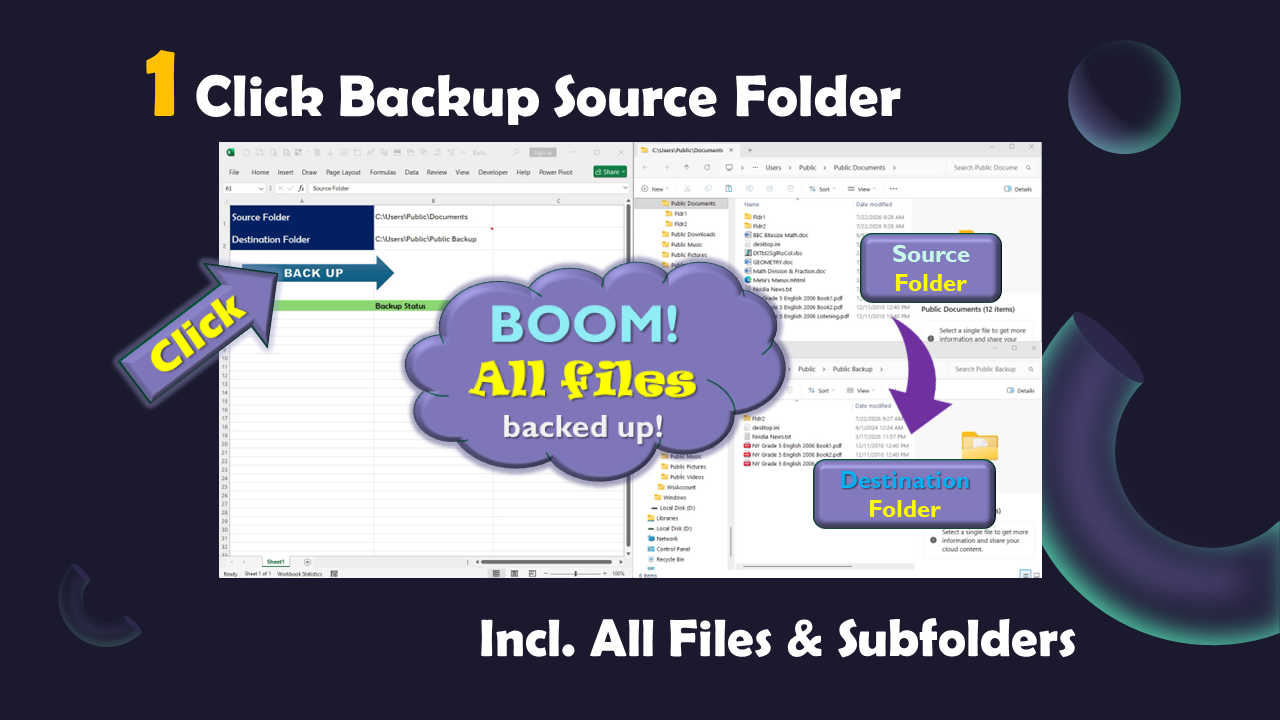
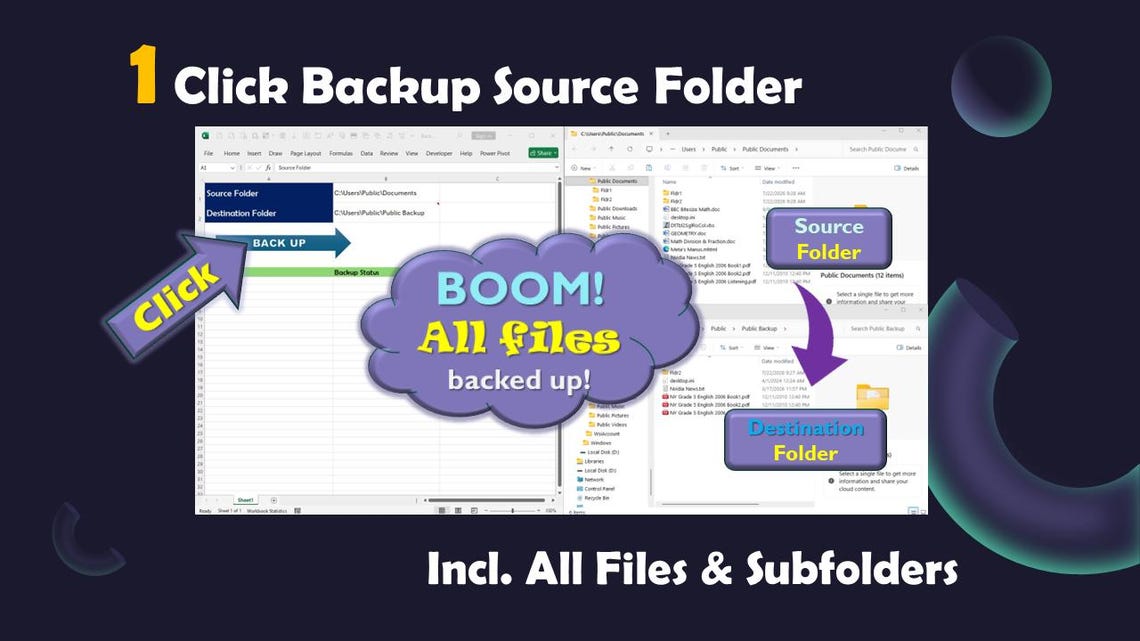
1 CLICK Backup ALL files in a folder to selected destination folder, including all files and subfolders. Great for file management. Never need to worry which file have been backed up. Never need to worry about losing a file. No duplicate, no overwriting, only new files, new subfolders, and files with changes will be copied.
Save time! Stop doing repetitive manual labor! Avoid manual work errors! Best gift to Excel users.
* Save the Excel file to trusted location and add the file to trusted file.
* Open the file, enter source folder and destination folder.
* Click Backup button.
* Sit back and relax, or go get a cup of coffee.
* All files and all files in subfolders in the Source Folder will be copied over to the Destination Folder.
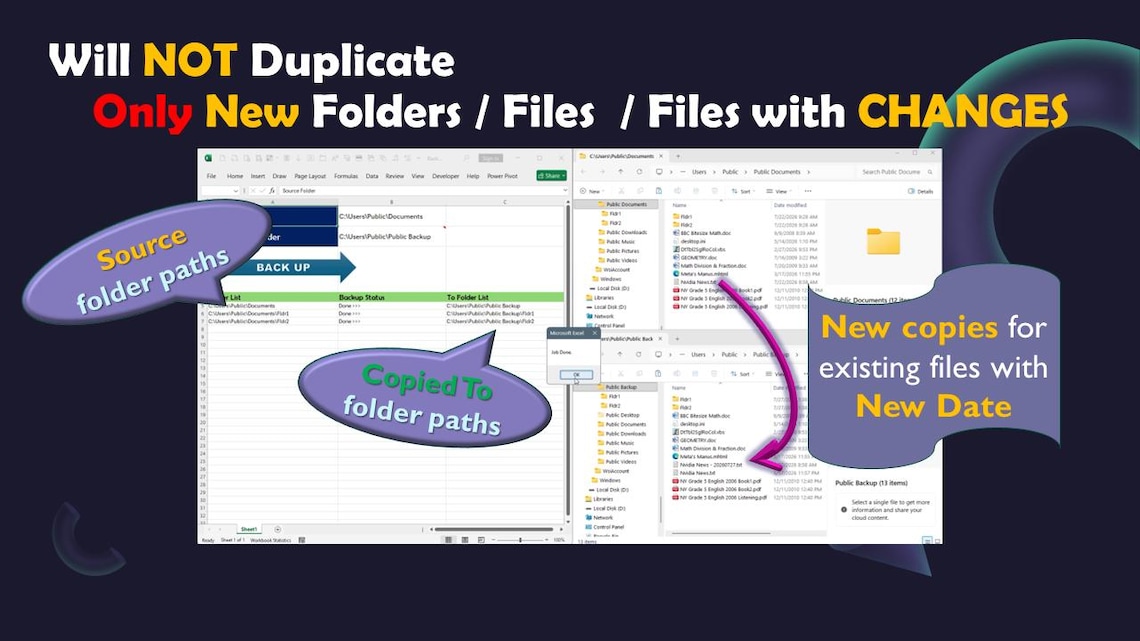
* If a file already existed in the Desination Folder, if there has been no change, then it will be skipped. If the file has been changed, a new copy will be created in the Destination Folder with new date added to the file system, so original file will be kept and a new version will be created with new date.
* If a subfolder doesn’t exist in the Desination Folder, a same subfolder will be created in the Destination folder, and all files will be copied over. If the subfolder already existed in the Destiantion Folder, then only the files in the subfolder will be processed.
Identity verified by Etsy Trust and Safety team, safety and quality guaranteed.
NOTE: For Windows ONLY! If you have Mac computer, you can install Windows using Bootcamp, which is included in your Mac OS. This version pulls all names of files in a folder, if you need additional file information, such as last saved date, file size, etc., please get the Advanced Version. As a customary practice, there is no refund or return for software products. Please feel free to contact us if you have any questions.

Reviews
There are no reviews yet.